


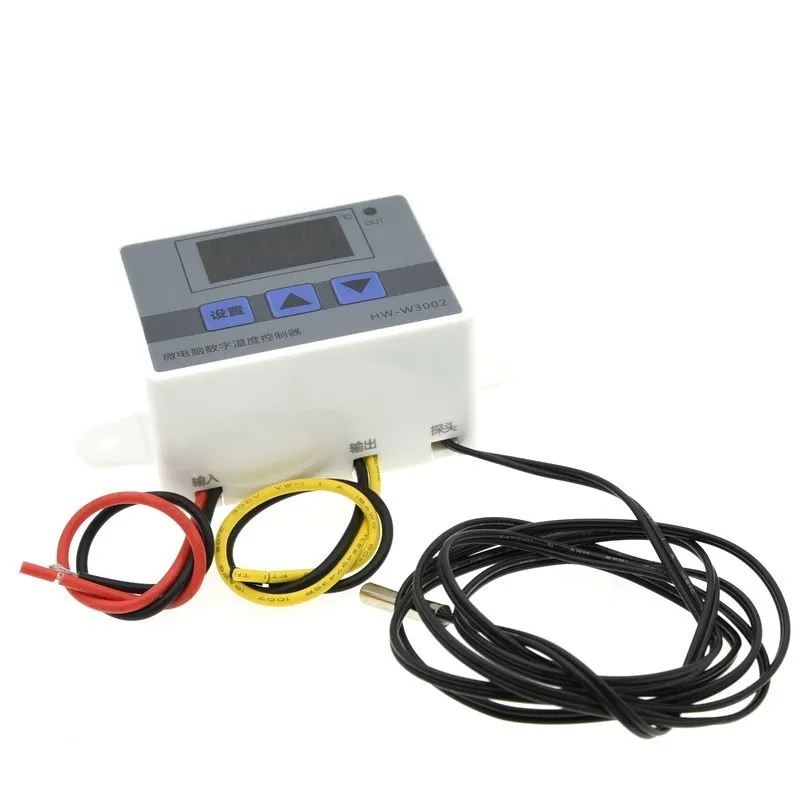
24V/220V W3002 Digital Temperature-Controller Microcomputer Thermostat Thermoregulator Heat Cool Temp Thermostat Control Switch
-
Estimated Delivery:Oct 15 - Oct 19
-
Free Shipping & Returns: On all orders over $75

24V/220V W3002 Digital Temperature-Controller Microcomputer Thermostat Thermoregulator Heat Cool Temp Thermostat Control Switch
SPECIFICATIONS
Application: Computer
Brand Name: SZFYDOSH
Choice: yes
Condition: New
Dissipation Power: N/A
Model Number: W3002 Digital Temperature Contro
Operating Temperature: .
Origin: Mainland China
Package: SMD
Supply Voltage: 12V/24V/220V
Type: Module
is_customized: Yes
semi_Choice: yes
Product parameters:
Product name: Microcomputer temperature controller
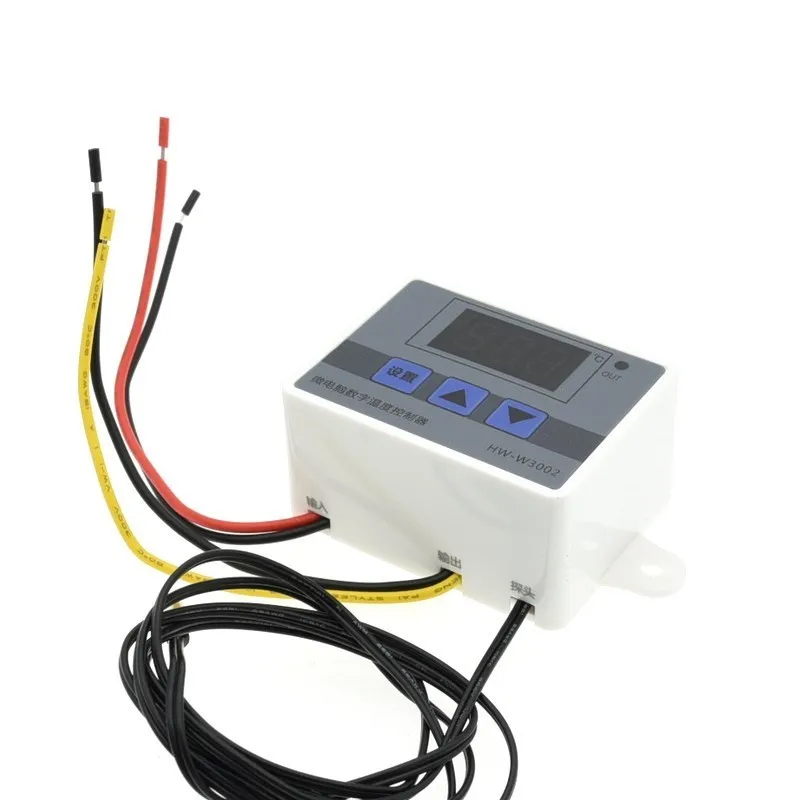
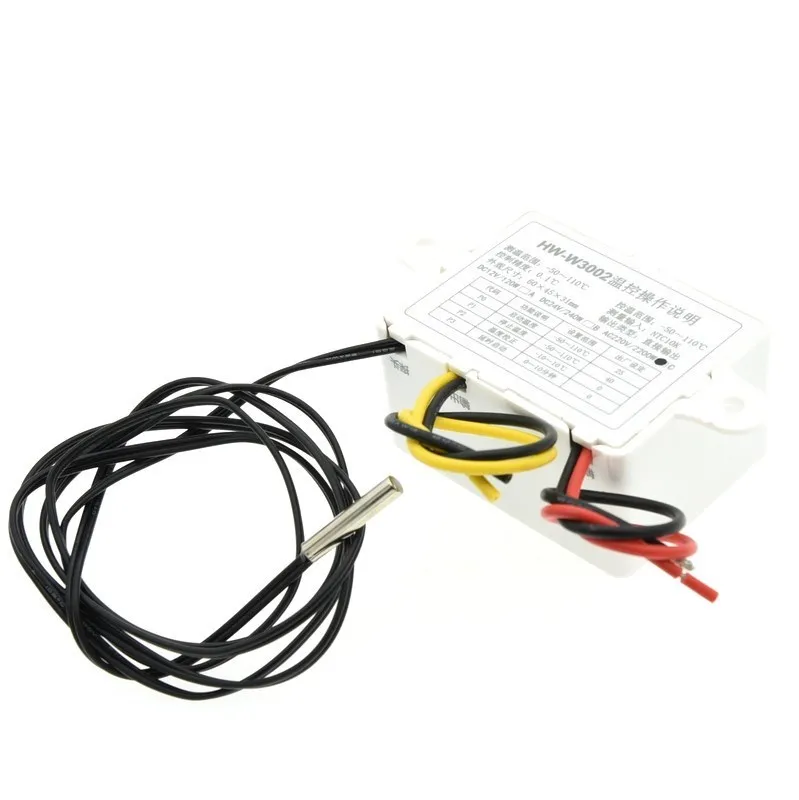
Product name :HW-W3002
Supply voltage :DC12v, DC24v,AC220V three versions can be selected
Temperature range :-50~11o℃
Temperature measurement accuracy :±o.1℃
Temperature control range :-50~110℃
Temperature measurement accuracy :±0.1℃
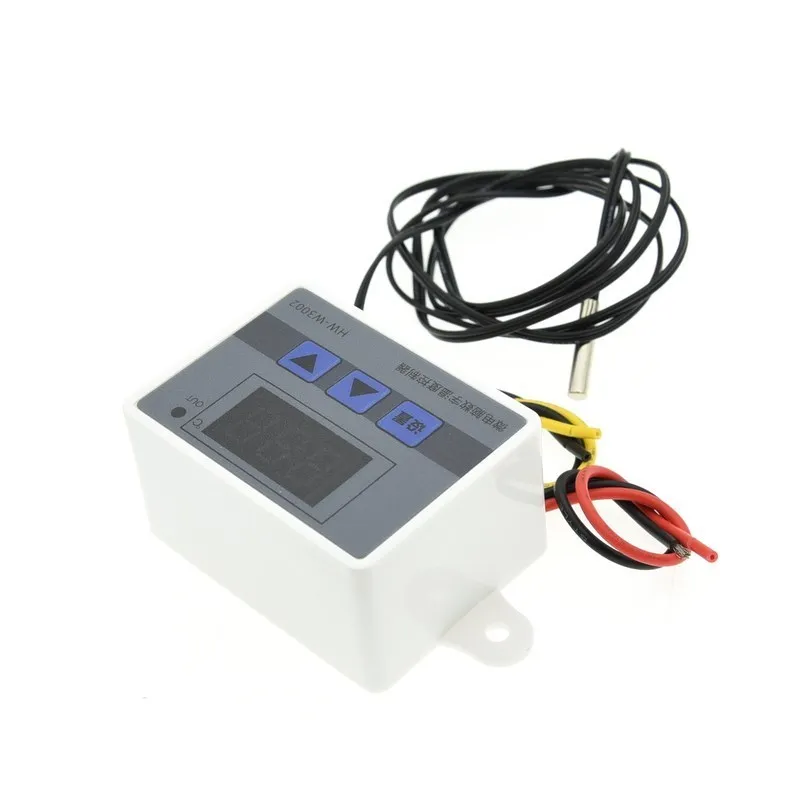
Temperature probe: 1m waterproof probe is standard
Applicable environment :-15~55℃, 20%~85%RH
Output type: Direct output
Appearance size :60*45*31mm
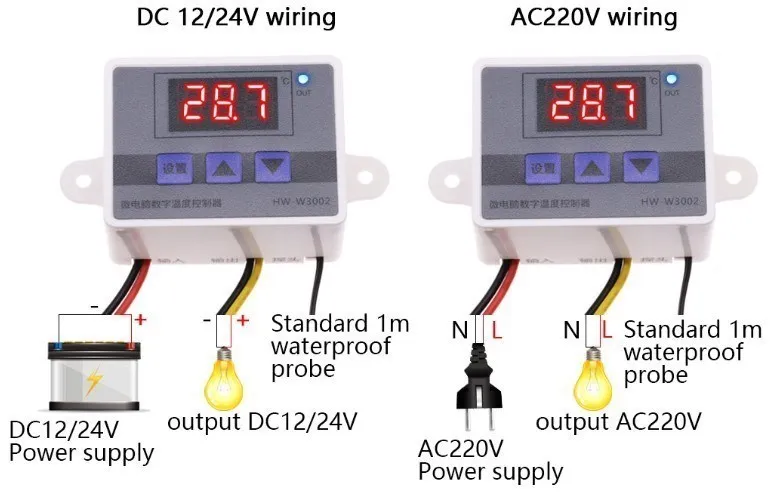
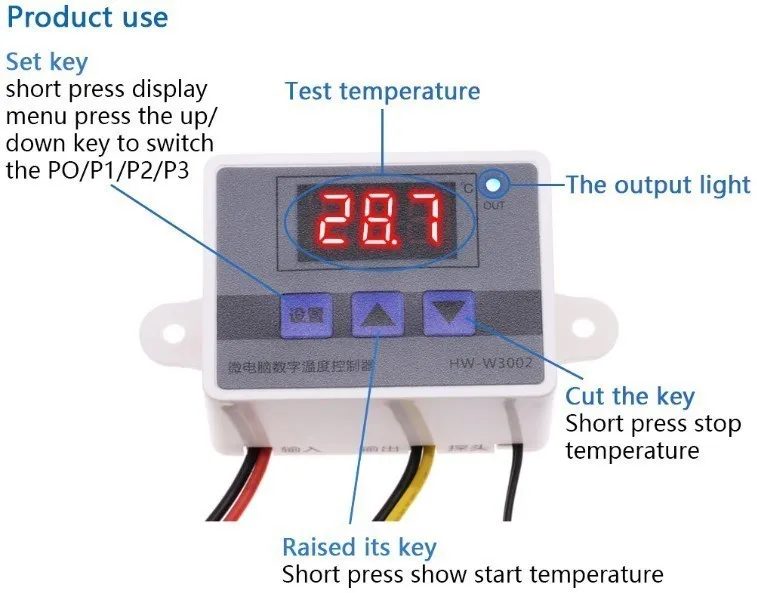
Parameters set the table
Code |
Function declaration |
The set range |
0~10minute |
P0 |
Start the temperature |
-50~110°C |
25 |
P1 |
Stop the temperature |
-50~110°C |
40 |
P2 |
The temperature calibration |
-10~10°C |
0°C |
P3 |
Delay start |
0~10minute |
0minute |
Code and function introduction
PO setting to start-up temperature
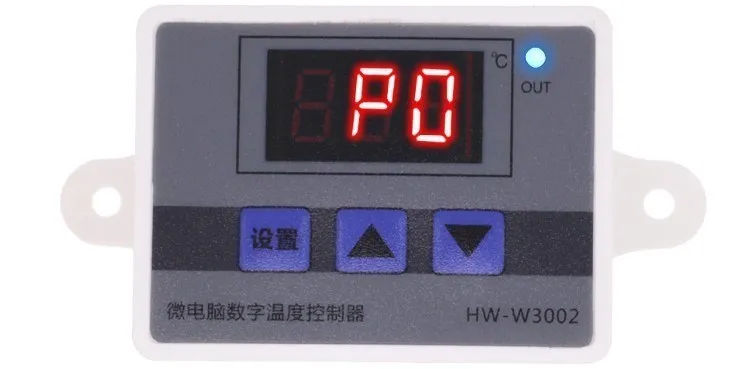
Press setting button enter into internal menu.Default setting
displayed "PO" ,then press the setting button again,set temperatureby press the upand down buttons.
P1 setting to stop temperature
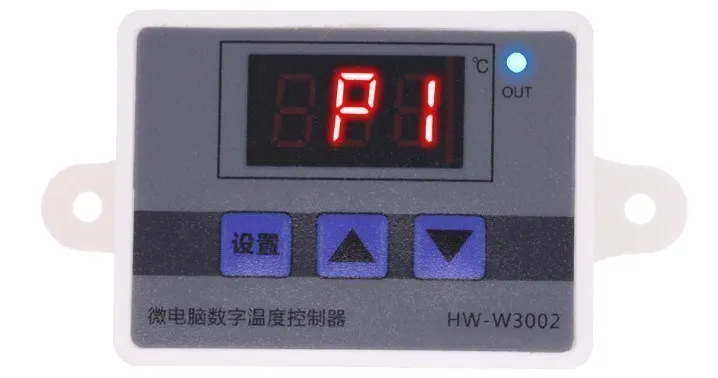
Press the setting button enter into the internal menu,digitaldisplayed "PO",change it into "Pl" by press up and down buttonsthen press the setting button again.Stopped temperature by pressthe up and down buttons.
P2 setting to correct the temperature
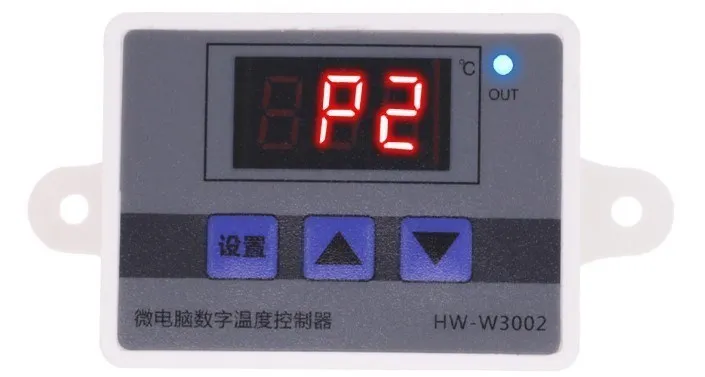
Enter the internal menu in the same way, switch to P2 by pressing upand down, press the Set button again, and set the required calibration temperature by pressing up and down. (Note: In thesetting, if the detected temperature value is 0.5℃ higher than theactual temperature value, the calibration temperature to be set is-0.5℃. lf the measured value is 1℃ lower than the actual temperature, the calibration temperature needs to be set to 1℃.Detection temperature + calibration temperature = actual temperature.
P3 Set delayed start
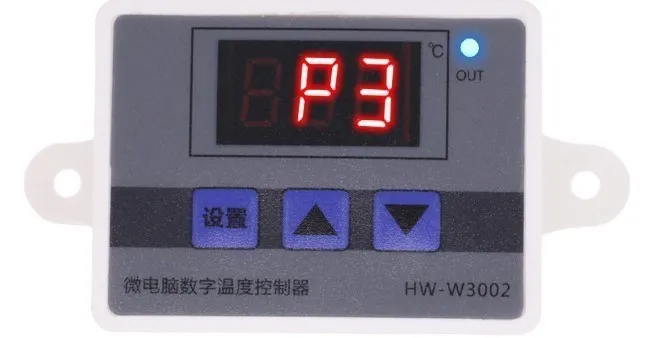
Press the setting button enter into the internal menu,switching intoP3 by pressed the up and down button.Then press the setting
button again and set delayed time(Unit: minute)by pressing up anddown button. (Note: The function delay to start is used to
compressor refrigeration.lt need to set value if use to refrigeratorfreezer.Usually it set to 3-6 minutes according to the backreturn sizeof compressor.lf it is not use to compressor or no need this delaytime function just skip this item.)
Heating Mode Setting
Main points of Setting,start-up temperature<stop temperature(producer automatic judging the heating mode)
setting mode:Press settingbutton enter into the internal menu,started-up temperature by setting value of“PO" ,stop temperatureby setting value of "PI" .
Use case:
Control water heater,stopped the temperature when heating up to50°C.restart the heating when temperature fall back to 40°℃.Theinstruction as follow,
STEP 1:Make sure the mode of work is heating,start-up temperature<stop temperature.
STEP 2:Press the setting button enter into the interna menu,choose“PO"and press setting button to set value of "PO" to 40°℃.
STEP 3:Press the setting button enter into the interna menu,choose"Pl" and press setting button to set value of "P1" to 50℃.
Cooling Mode Setting
Main point of setting:Start-up temperature>Stop temperature(producer automatic judging the cooling mode)
setting mode:Press setting button enter into the internal menu,started-up the temperature by setting value of "PO”,stop
temperature bv settina value of "PI”
Use case:
Control the cabinet radiator,stop working at heat dissipation 26℃.Starting radiator when temperature come back 30°C.The instructionas follow,
STEP 1:Make sure the work modeis cooling,started-up temperature>stop temperature.
STEP 2:Press the setting button enter into the internal menu,choose“PO" and press the setting button to set value of “PO" at 30°℃.STEP 3:Press the setting button enter into the internal menu to setvalue of "PI at 26℃.
Examples of use
Using an examplel want to control the temperature of the chickshatch in 37.5 ℃~38C, how to set?
. Short press the set key screen PO,short press the set key again
shows the current start temperature,press the up/down key to adjuststart temperature of 37.5 ℃.(5s without operation automatic saveand exit)
- Short press set key Po screen display,press the switch to P1,shortpress the set key again shows the current stop temperature,pressthe up/down key to adjust stop temperature for 38℃.
. Set up,the thermostat will be 37.5 C control heating equipmentfor heating,temperature rise to 38 ℃ stops,the temperature droppedto 37.5 Cuntil heating cycle again.
I actually measuring temperature 35 C,temperature controlleraccording to 35.6 °℃,how to calibrate?
. Short press set key PO screen display,press the switch to P2,pressthe set key again shows the current temperature calibration,pressthe up/down key to adjust the calibration of -0.6 ℃ can.(thermostatshows temperature is greater than the actual measuring temperature0.6 ℃)
Common Fault
lf user accidentally set the temperature value upside down,the inputlight will bit bright and the load not work,if in this situation.Pleasecheck whether the value of setting temperature have been upsidedown.
Factory setting solution
· Hold down the up key and press down until the screen displays 888to restore factory Settings.
·LLL on the screen indicates that the temperature probe is notinserted, disconnected, or damaged.Replace it.
·lf HHH is displayed, the temperature probe is short-circuited andexceeds the temperature detection range.
Shipping cost is based on weight. Just add products to your cart and use the Shipping Calculator to see the shipping price.
We want you to be 100% satisfied with your purchase. Items can be returned or exchanged within 30 days of delivery.
Discover more in our FAQ
How long does it take to process an order?
All the details you love about the original—with a fresh flared block heel and modern square toe. Expertly crafted using soft Nappa leather, this essential style molds and moves with you to keep you comfortably on your feet all day (and night). This boot uses leather sourced from a Leather Working Group-approved trader. The Leather Working Group (LWG) Audit Standards provide transparency and accountability within the leather supply chain—covering energy and water usage.
Do you ship internationally?
All the details you love about the original—with a fresh flared block heel and modern square toe. Expertly crafted using soft Nappa leather, this essential style molds and moves with you to keep you comfortably on your feet all day (and night). This boot uses leather sourced from a Leather Working Group-approved trader. The Leather Working Group (LWG) Audit Standards provide transparency and accountability within the leather supply chain—covering energy and water usage.
What is your return policy?
All the details you love about the original—with a fresh flared block heel and modern square toe. Expertly crafted using soft Nappa leather, this essential style molds and moves with you to keep you comfortably on your feet all day (and night). This boot uses leather sourced from a Leather Working Group-approved trader. The Leather Working Group (LWG) Audit Standards provide transparency and accountability within the leather supply chain—covering energy and water usage.
What are your sizing options?
All the details you love about the original—with a fresh flared block heel and modern square toe. Expertly crafted using soft Nappa leather, this essential style molds and moves with you to keep you comfortably on your feet all day (and night). This boot uses leather sourced from a Leather Working Group-approved trader. The Leather Working Group (LWG) Audit Standards provide transparency and accountability within the leather supply chain—covering energy and water usage.