


Melery Israel Wall Socket Wifi Smart Light Switch Tuya Plug Electrical Outlet Touch Glass Panel Intelligent Alexa Google Home
-
Estimated Delivery:Oct 16 - Oct 20
-
Free Shipping & Returns: On all orders over $75

Melery Israel Wall Socket Wifi Smart Light Switch Tuya Plug Electrical Outlet Touch Glass Panel Intelligent Alexa Google Home
SPECIFICATIONS
Brand Name: Melery
Certification: RoHS,FCC,CE,CCC,ce,FCC,ROHS
Current: 16a
EANCode: *
Features: wifi tuya smart remote control
High-concerned chemical: None
Is Smart Device: Yes
Item Type: SWITCHES
Material: Plastic
Model Number: WWS418
Origin: Mainland China
Switch Type: Touch On/Off Switch
Warranty: 1 year
israel smart switch: smart switch israel socket in wall
wall touch smart light switch: smart switch light wall
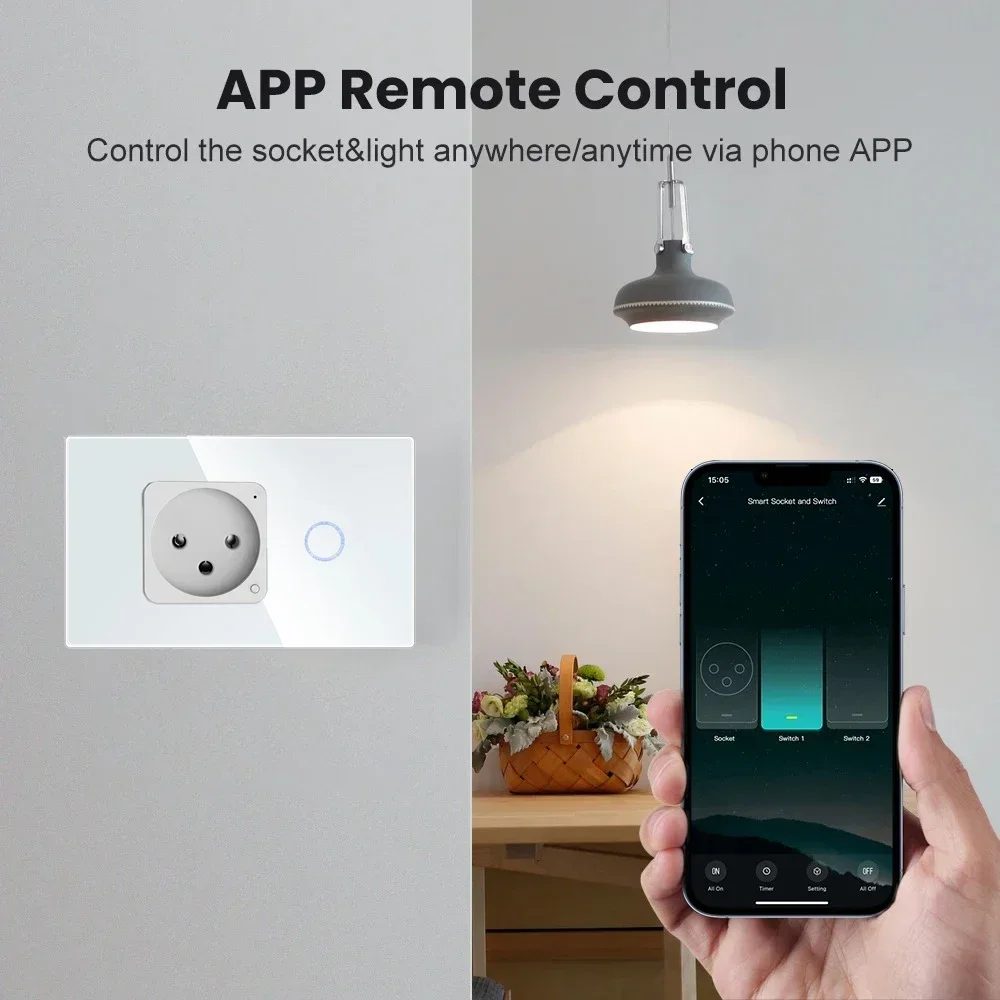
Melery WiFi Smart Israel Light Switch Wall Socket - Touch Glass Panel, Works with Alexa & Google Home (No Hub Required)
✨ Why Melery Smart Socket Stands Out
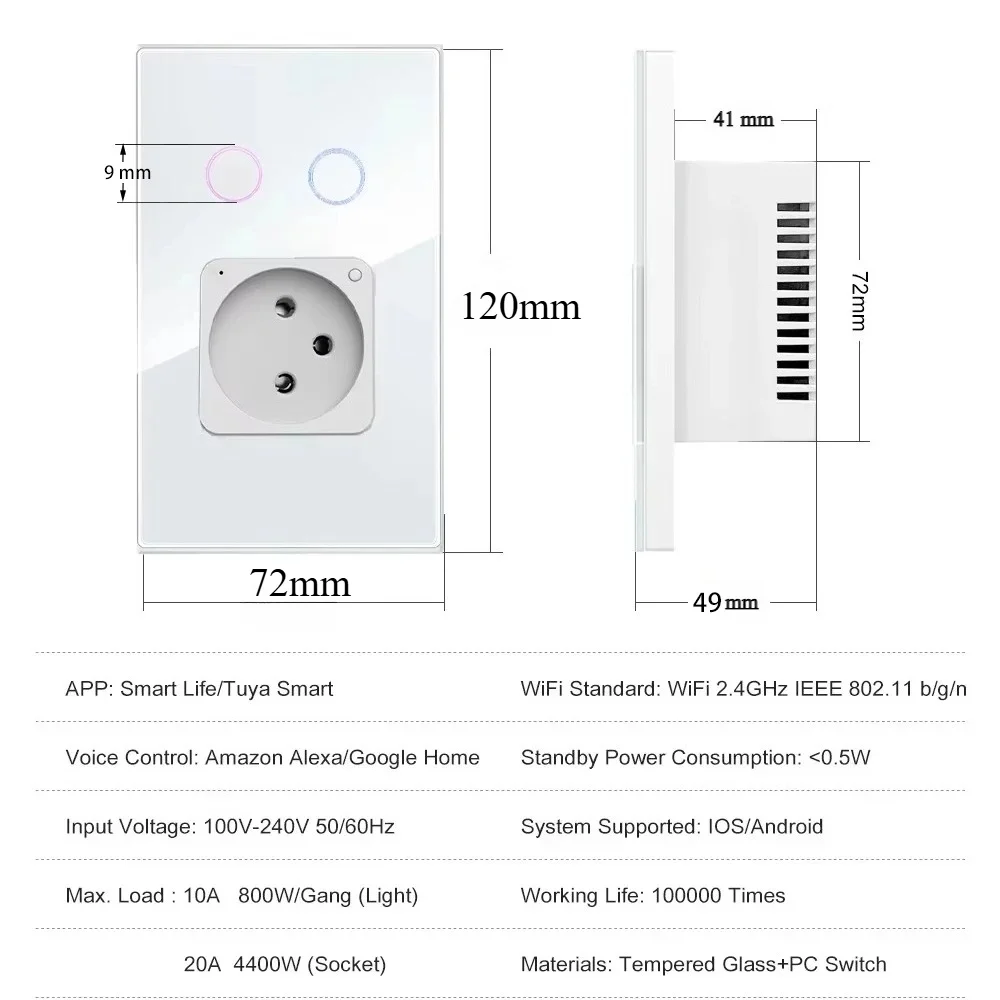
�� Core Specifications
|
Parameter
|
Details
|
|---|---|
|
Brand
|
Melery
|
|
Colour
|
White / Black
|
|
Net Weight
|
200g
|
|
Input Voltage
|
90-250V, 50-60Hz (Fits Israel 220V Standard)
|
|
Max Current
|
16A
|
|
Max Power Rating
|
3250W
|
|
Dimensions
|
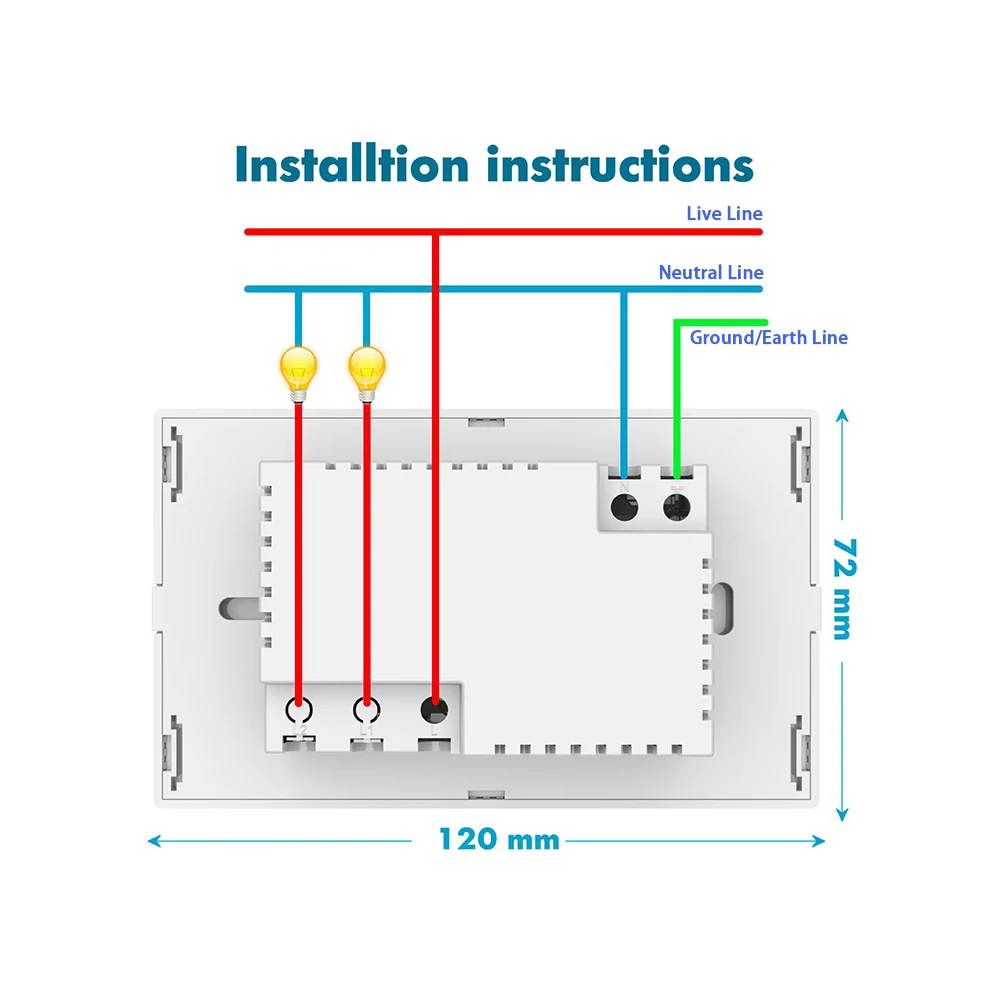
120*72*50mm
|
|
Surge Protection
|
1680J
|
|
Protocol
|
WiFi 802.11 b/g/n (2.4GHz & 5GHz Dual-Band, No Hub Required)
|
|
Compatible Apps
|
Smart Life / Tuya APP (iOS & Android)
|
|
Voice Compatibility
|
Amazon Alexa, Google Assistant
|
�� Key Features for Smart Living
-
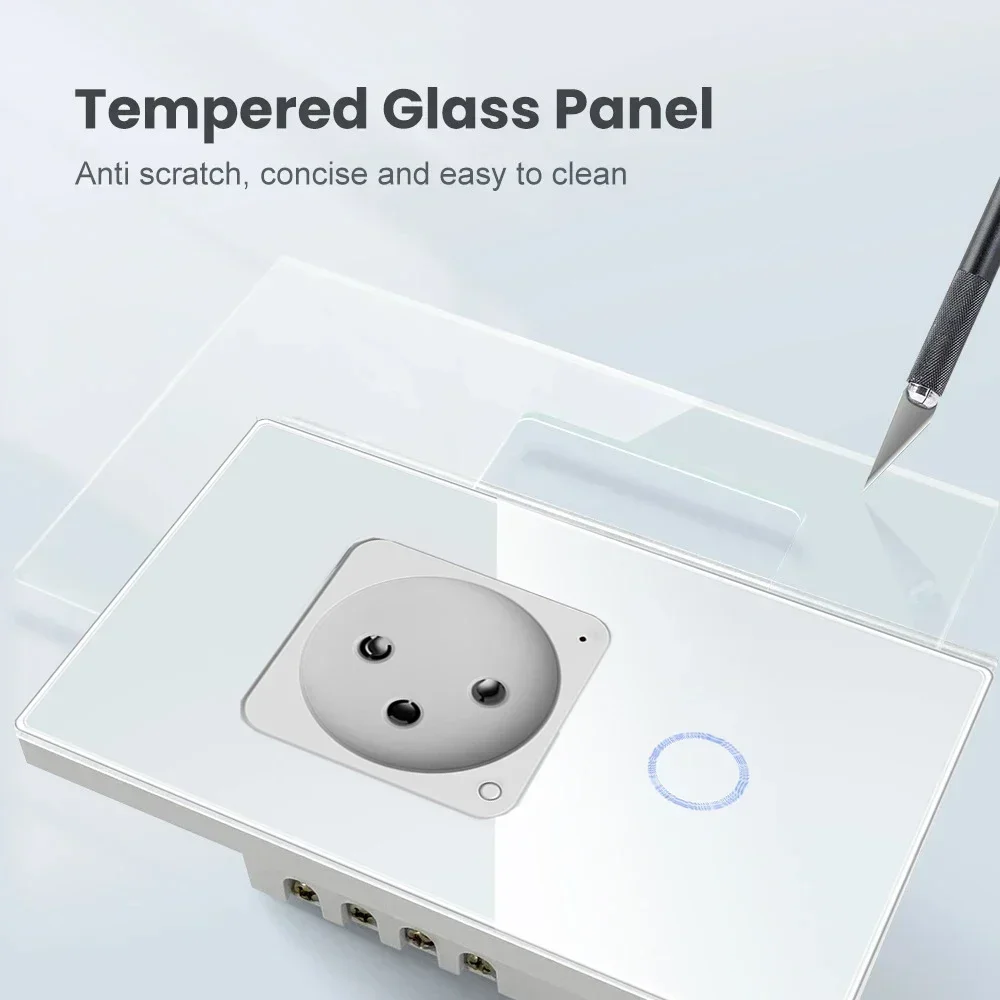
1/2 Way Touch Control: Ultra-sensitive glass panel with backlight – easily turn lights/appliances on/off with a gentle tap, even in the dark.
-
WiFi Advantages: 2.4GHz & 5GHz dual-band support, fast connection speed, strong wall penetration, and 128-bit AES encryption for maximum security. No extra hub needed – directly connect to your home WiFi.
-
Timer & Schedule: Set automatic on/off times for your devices. Schedule the coffee maker to start before you wake up, or turn off the bedroom lamp after bedtime – hands-free convenience.
-
Remote Access: Control your socket from anywhere via the Smart Life/Tuya APP. Forgot to turn off the iron? Just tap your phone – no more rushing home.
-
Family Sharing: Share device access with family members, so everyone can manage the smart home without extra accounts.
-
Superior Safety: Thermal fuses, surge protection, and over-voltage protection prevent fires and device damage. CE/ROHS/FCC certified for total peace of mind.
�� Accessibility for All
�� Step-by-Step Pairing Guide: WiFi Connection & Voice Assistants
1. Pair Socket with Smart Life/Tuya APP
-
Prepare for Pairing: Power on the socket. Press and hold the reset button for 3-5 seconds until the indicator light flashes alternately (pairing mode activated).
-
Connect to APP: Open Smart Life/Tuya APP → Tap "+" → "Add Device" → Select "Electrical Outlet" → Choose your WiFi network (2.4GHz or 5GHz) → Enter WiFi password → Tap "Next".
-
Complete Pairing: The APP will automatically search for the socket. Select the detected device and wait for the indicator light to turn solid (pairing successful). You can now rename the device for easy management.
2. Integrate with Amazon Alexa
-
Open the Amazon Alexa APP → Tap "More" → "Skills & Games" → Search for "Tuya Smart" or "Smart Life" → Enable the skill.
-
Log in with your Tuya/Smart Life account to authorize the connection. Alexa will automatically sync your paired socket.
-
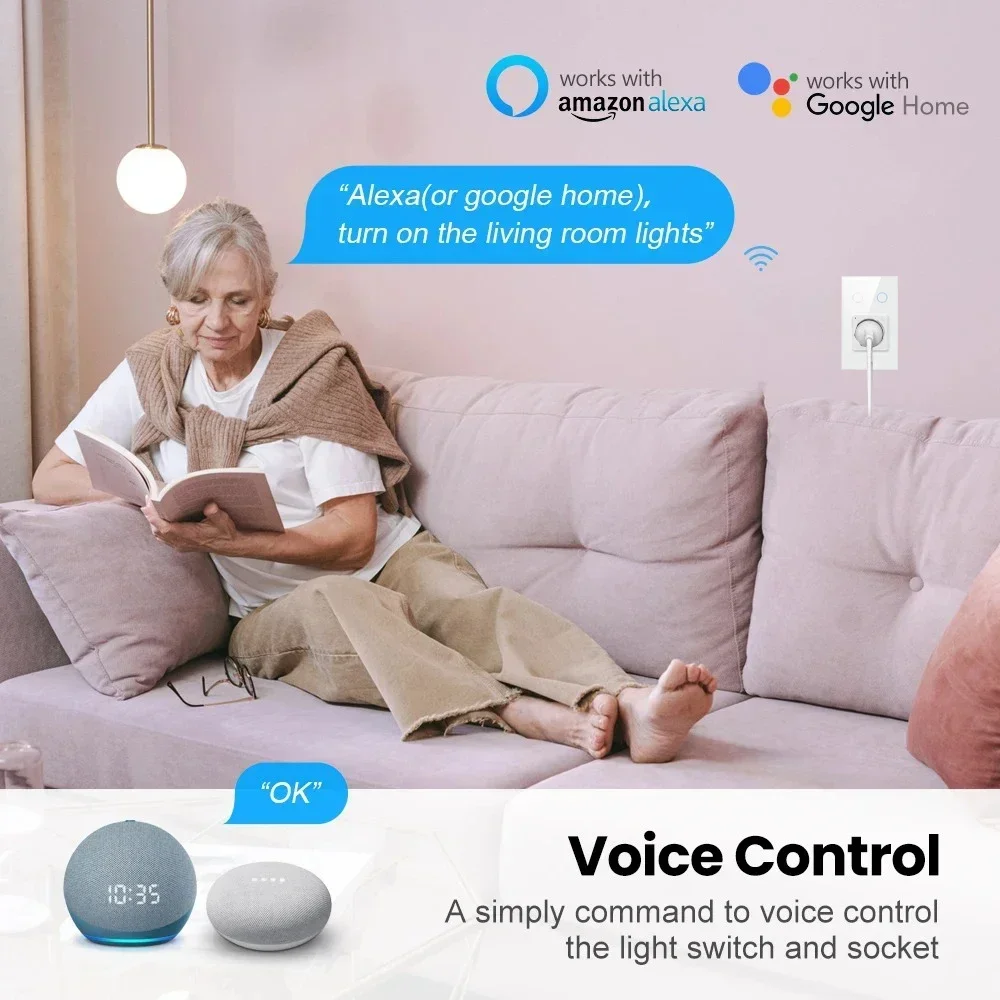
Test: Say "Alexa, turn on the living room socket" to confirm control.
3. Integrate with Google Home
-
Open the Google Home APP → Tap "+" → "Set up device" → "Works with Google" → Search for "Tuya Smart" or "Smart Life".
-
Sign in with your Tuya/Smart Life account and sync your devices.
-
Test: Say "Hey Google, turn off the kitchen socket" to verify functionality.
4. Quick Troubleshooting for WiFi Connection
-
Socket Not Found: Confirm the socket is in pairing mode (indicator flashing). Restart your WiFi router and refresh the APP. Ensure your phone and socket are on the same WiFi network.
-
Connection Failed: Check if the WiFi password is correct. If using a 5GHz network, ensure your router supports dual-band. Try switching to 2.4GHz for more stable pairing in areas with weak signals.
-
Disconnection Issue: Reduce the distance between the socket and router. Avoid obstacles like thick walls or other electronic devices that may cause signal interference.
-
APP Unresponsive: Update the Smart Life/Tuya APP to the latest version. Clear the APP cache or reinstall it if necessary.
��️ Troubleshooting Tips
-
Device Not Detected: Ensure both gateway and socket have "Works with Alexa/Google" certification. Restart the gateway and resync devices on the same Wi-Fi network.
-
Slow Response: Use 5GHz Wi-Fi for your phone to avoid interfering with 2.4GHz Zigbee signals. Reduce the distance between the gateway and socket if needed.
-
Compatibility Issues: Choose Zigbee 3.0-certified gateways for seamless multi-brand integration.
�� Package List
-
1 x Melery WiFi Smart Israel Socket with 1/2 Way Touch Switch
-
1 x User Instruction Manual
-
1 x Paper Box
Shipping cost is based on weight. Just add products to your cart and use the Shipping Calculator to see the shipping price.
We want you to be 100% satisfied with your purchase. Items can be returned or exchanged within 30 days of delivery.
Discover more in our FAQ
How long does it take to process an order?
All the details you love about the original—with a fresh flared block heel and modern square toe. Expertly crafted using soft Nappa leather, this essential style molds and moves with you to keep you comfortably on your feet all day (and night). This boot uses leather sourced from a Leather Working Group-approved trader. The Leather Working Group (LWG) Audit Standards provide transparency and accountability within the leather supply chain—covering energy and water usage.
Do you ship internationally?
All the details you love about the original—with a fresh flared block heel and modern square toe. Expertly crafted using soft Nappa leather, this essential style molds and moves with you to keep you comfortably on your feet all day (and night). This boot uses leather sourced from a Leather Working Group-approved trader. The Leather Working Group (LWG) Audit Standards provide transparency and accountability within the leather supply chain—covering energy and water usage.
What is your return policy?
All the details you love about the original—with a fresh flared block heel and modern square toe. Expertly crafted using soft Nappa leather, this essential style molds and moves with you to keep you comfortably on your feet all day (and night). This boot uses leather sourced from a Leather Working Group-approved trader. The Leather Working Group (LWG) Audit Standards provide transparency and accountability within the leather supply chain—covering energy and water usage.
What are your sizing options?
All the details you love about the original—with a fresh flared block heel and modern square toe. Expertly crafted using soft Nappa leather, this essential style molds and moves with you to keep you comfortably on your feet all day (and night). This boot uses leather sourced from a Leather Working Group-approved trader. The Leather Working Group (LWG) Audit Standards provide transparency and accountability within the leather supply chain—covering energy and water usage.