


Take a Number Machine Wireless Queue Management System 3pcs NEXT Control Call Button & 1 Counter Display English Voice Broadcast
Regular price
$1,207.43
Sale price
$1,207.43
Regular price
$0.00
Unit price
-
Estimated Delivery:Jun 10 - Jun 14
-
Free Shipping & Returns: On all orders over $75
🔒 Secure Checkout
💰 Money Back Guarantee
↩️ Free Returns
🚚 Fast Shipping

Take a Number Machine Wireless Queue Management System 3pcs NEXT Control Call Button & 1 Counter Display English Voice Broadcast
Product reviews
Product description
Shipping & Return
SPECIFICATIONS
Application: Restaurant,Hospital,Cafe,clinic,Bank,Supermarket,School,dessert bar,Bank or mutil-counter Hospital restaurant
Communication: Wireless
Control button dimension: 60*60*20mm
Display size: 290*155*40mm
Feature: Wireless
Frequency: 433.92mhz
Material: ABS
Name: Queue Call Management System
Transmitted distance: 100m in open area
Type: calling pager
Warranty: 1 year
Working Current: <20mA
Working voltage: DC 5V
brand name: Ycall
frequency: 433.92mhz
model number: K-C31 K-O1-N wireless queue calling system
place of origin: Fujian, China
private mold: Yes
quantity of each set: 5
wireless distance: 100

Products Description
Take a Number System Wireless Queue Management System Ticket Number Waiting System 3 NEXT Call Button 1 Counter Display English
Voice Broadcast for Bank Service Center Bus Station Clinic
Voice Broadcast for Bank Service Center Bus Station Clinic
Package includes:
1 x Monitor Screen
3 x Next Button
1 x Remote Control
1 x User Manual
This Queue Management System is mainly used in bank, restaurant, hospital, clinic, Service Centre.
*Customer go to the Service station and take a number ticket by Thermal printer.
*Customer wait for their service.
*When it is their turn, the counter worker will press the "Next" transmitter to call.
*The customer's number will show on the display screen with prompt sound, so that customer know which counter they should attend.
*Customer go to the Service station and take a number ticket by Thermal printer.
*Customer wait for their service.
*When it is their turn, the counter worker will press the "Next" transmitter to call.
*The customer's number will show on the display screen with prompt sound, so that customer know which counter they should attend.

About Take A Number System:
Power-off memory is one of the highlights of this queue calling system. When this function is switched on, the last number called will be stored automatically. Upon reconnecting the power, the call will start with "Last Number + 1".
By default, numbers start at 000 and end at 999. You can set the "Start" and "End" numbers as required, for example, you only need to call numbers between 50 and 200. Once the call reaches the "End" number, the system will automatically restart from the "Start" number.
Quick Zero: Suppose you have set the "Start" number to 10 and are currently calling 35. Press the Up and Down keys at the same time to quickly zero. When pressing the NEXT button, the number will start calling again from 10. Note that the "zero" here is not necessarily the number 0, but the "Start" number you set.
The receiver consists of 3-digit ticket number and 1-digit counter number. The number display can be mounted on a wall or desktop. Easily adjust the volume, voice mode, number of broadcasts, cycle time, etc. The default voice mode is "Dingdong + Number XXX go to X".
NEXT Button: It is a waterproof signal transmitter for the service personnel. When the "NEXT" button is pressed, the number will automatically go to the next one, accompanied by an indicator light prompt. It makes our queue wireless calling system simple and easy to use.


Real-time display and broadcast the now serving number, so that customers can know what number is now on the turn, then estimate how long they need to wait for.

Two Types of Counter Code

Product Size

Installation of Screen

Multiroom use case
Once customer 005 has been attended to, if the staff in room 1 presses button 1, the receiver in the waiting area outside the room will show ‘006→1’ and emit a voice prompt saying ‘Number six, please go to room one’. This indicates that the next customer, customer 006, can now head to room 1 for service.

Multi-counter use case
* Once customer No. 5 has finished his/her business, when the staff at counter 1 presses button 1, the receiver in the waiting area will display ‘006→1’ and give a voice prompt saying, “Customer No. 6, please go to counter 1.” This indicates that the next customer in line, customer No. 6, can then go to counter 1 to handle his/her business..

Queue number display
* 29x15,5x4cm
* Calling the current service number
* Default caller voice: Please Number xxx go to counter x
* Calling the current service number
* Default caller voice: Please Number xxx go to counter x

Remote control(4.5 x12x1.6cm)
* Allows you to remotely switch the screen on and off within a 5 metre radius.
* Note: You must aim for the detection area at the top right of the screen.
* Note: You must aim for the detection area at the top right of the screen.

Call Button(6 x 6x2cm)
* Call the next number
* with one 12V23A battery
* IP 55 Waterproof
* with one 12V23A battery
* IP 55 Waterproof

Manual
* Come with an English Manual
* The default display is ‘xxx→x’, ‘xxx’ is the customer queue number and ‘x’ is the button/room/counter/counter code......
* The Optional Call Voices: of the Screen:
1. Mute (Just showing number)
2. "Dingdong~"
3. "Dingdong~ Please Number xxx go to counter x "(default)
4. "Dingdong~ Please number xxx go to reception/window/doctor room/consulting room/room x…"
5. Music 1
6. Music 2
* Note:
* The Optional Call Voices: of the Screen:
1. Mute (Just showing number)
2. "Dingdong~"
3. "Dingdong~ Please Number xxx go to counter x "(default)
4. "Dingdong~ Please number xxx go to reception/window/doctor room/consulting room/room x…"
5. Music 1
6. Music 2
* Note:
1) It has 20 levels of volume adjustment. If you feel that the voice of number calling is not loud enough, you can connect the screen to a loudspeaker to increase the volume.
2) The display screen is made of high brightness luminous beads, which can be seen in sunlight. But it is not waterproof and cannot be used on rainy days. Prolonged exposure to sunlight will easily shorten the lifespan.
3) If the power cord is not long enough for you, you can purchase a 2.1 x 5.5mm DC cable that supports 3A current and connect it to the original power cord for extra length.
K-C31 Queue Dispaly Receiver: |
LED counter display labeled with Counter Number |
1.Wireless signal receiver |
2.Show 3-digit for display ticket number and 1 digit for counter number |
3.Can put on the Waiting Area for indicate customer. |
4. Voice: please number xxx go to counter x (Support Voice Announcement Customized) |
5.Counter number can be alphabet, such as: C |
6.Can install on the wall and desk. |
7.110V-240V Power supply |
8.Working voltage: DC 5V |
9.Dimension: 29*15.5*4cm |
10.With high strength ABS plastic shell |
K-O1-N Next Control Remote Call Button: |
Single-key: NEXT |
Signal Distance: 50-100m in open area |
Material: PC and waterproof silicone |
Dimension: 60*60*20mm |
Color: Black-green |
With a 12V 23A battery |
Details Images


Recommend Products
Company Profile

Certifications
Exhibition

Package&Shipping

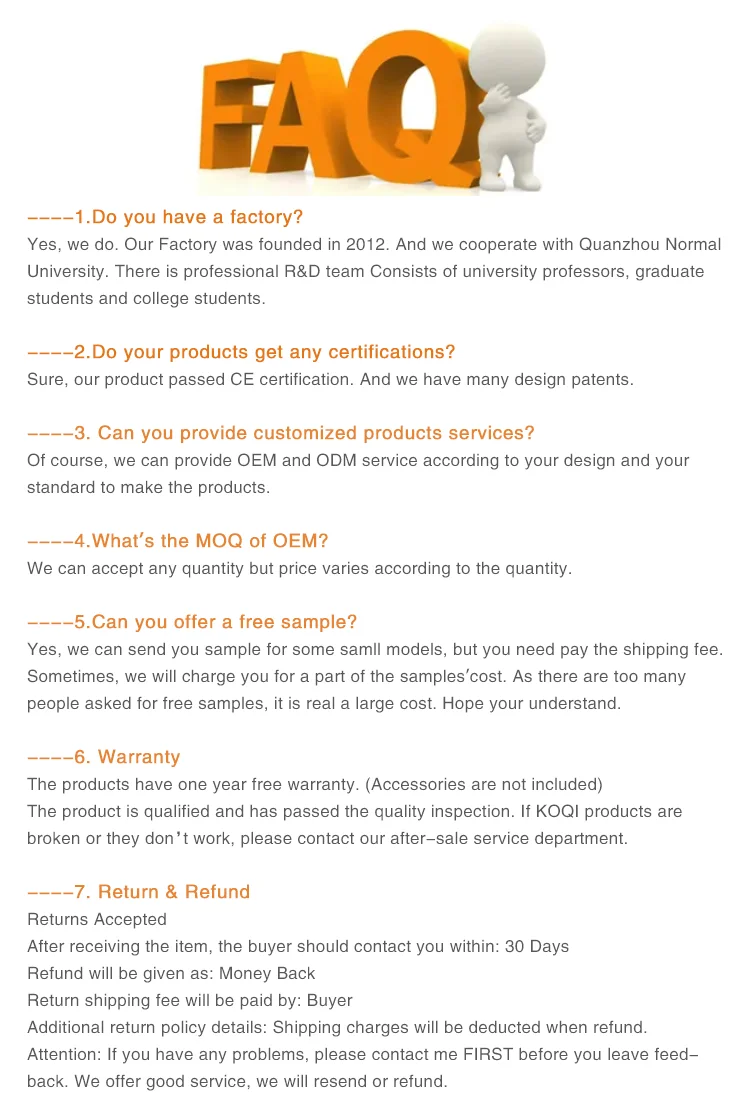
FAQ

Shipping cost is based on weight. Just add products to your cart and use the Shipping Calculator to see the shipping price.
We want you to be 100% satisfied with your purchase. Items can be returned or exchanged within 30 days of delivery.
Free Delivery on orders over $200
Free Delivery on orders over $200
Free Delivery on orders over $200
Discover more in our FAQ
How long does it take to process an order?
All the details you love about the original—with a fresh flared block heel and modern square toe. Expertly crafted using soft Nappa leather, this essential style molds and moves with you to keep you comfortably on your feet all day (and night). This boot uses leather sourced from a Leather Working Group-approved trader. The Leather Working Group (LWG) Audit Standards provide transparency and accountability within the leather supply chain—covering energy and water usage.
Do you ship internationally?
All the details you love about the original—with a fresh flared block heel and modern square toe. Expertly crafted using soft Nappa leather, this essential style molds and moves with you to keep you comfortably on your feet all day (and night). This boot uses leather sourced from a Leather Working Group-approved trader. The Leather Working Group (LWG) Audit Standards provide transparency and accountability within the leather supply chain—covering energy and water usage.
What is your return policy?
All the details you love about the original—with a fresh flared block heel and modern square toe. Expertly crafted using soft Nappa leather, this essential style molds and moves with you to keep you comfortably on your feet all day (and night). This boot uses leather sourced from a Leather Working Group-approved trader. The Leather Working Group (LWG) Audit Standards provide transparency and accountability within the leather supply chain—covering energy and water usage.
What are your sizing options?
All the details you love about the original—with a fresh flared block heel and modern square toe. Expertly crafted using soft Nappa leather, this essential style molds and moves with you to keep you comfortably on your feet all day (and night). This boot uses leather sourced from a Leather Working Group-approved trader. The Leather Working Group (LWG) Audit Standards provide transparency and accountability within the leather supply chain—covering energy and water usage.